Grocery task management: Tips, challenges & buyer’s guide
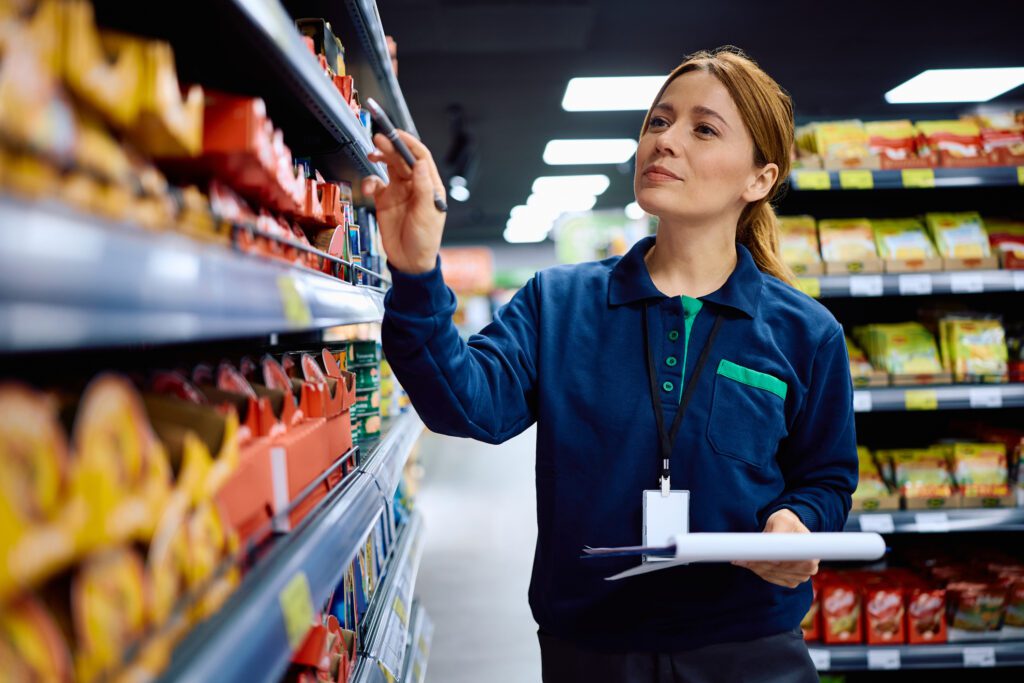
A missed temperature log. An overnight shift that skipped produce rotation. A new hire who didn’t know the closing checklist existed. In grocery retail, small execution gaps compound quickly, leading to compliance violations, spoilage and inconsistent customer experiences across locations.
Grocery task management gives store operators a way to assign, track and verify daily operational work across every department and shift.
This guide covers what grocery task management actually involves, why generic tools fall short, the challenges that derail execution and how to evaluate software that fits multi-location grocery operations.
In this article
What is grocery task management
Grocery task management refers to the process of assigning, tracking and completing daily operational tasks across grocery store departments using digital tools. This includes opening and closing procedures, food safety checks, stocking routines, cleaning schedules and compliance activities. The goal is straightforward: turn operational standards into repeatable actions that every employee can execute consistently, regardless of experience level.
Unlike project management, which handles one-time initiatives with defined timelines, grocery task management focuses on recurring, shift-based work. Temperature logs every four hours. Produce rotation checks each morning. End-of-day cleaning checklists. These aren’t projects, they’re the daily rhythm that keeps a store running.
Three core elements make up effective grocery task management:
- Task assignment: How work gets distributed to employees by shift, department, or role
- Task tracking: Monitoring completion status in real time across locations
- Task verification: Confirming work meets brand standards and compliance requirements through timestamps, photos, or digital signatures
When all three elements work together, store managers gain visibility into what’s actually happening on the floor, not just what’s supposed to happen.
Why grocery stores need specialized task management software
Generic project management tools weren’t built for grocery retail. The combination of high turnover, strict food safety requirements, multiple departments and multi-location operations creates challenges that require purpose-built solutions for retail execution.
High turnover requires repeatable processes
Grocery retail experiences some of the highest turnover rates in the industry, with retail averaging 4.3% monthly separations versus 3.5% across all sectors. When employees leave frequently, institutional knowledge walks out the door with them.
Standardized digital task lists reduce reliance on tribal knowledge. Instead of hoping a veteran employee remembers to train the new hire on proper produce rotation, the process is documented and assigned automatically to enable consistent behaviors at scale.
Food safety and compliance demand consistent execution
Temperature monitoring, HACCP compliance, health inspections, expiration tracking—grocery stores face regulatory requirements that other retailers don’t. A missed temperature log or overlooked expiration check can result in regulatory violations, product spoilage, or customer safety incidents.
Paper-based systems make it easy for tasks to slip through the cracks. Digital task management creates accountability through automated reminders, timestamped completion records and audit trails that prove compliance during inspections.
Multiple departments need coordinated workflows
Bakery, deli, produce, dairy, meat and front-end teams each have distinct operational requirements. Yet departments don’t operate in isolation—a delivery arriving at the back dock affects multiple teams, and shift handoffs require clear communication about what’s done and what’s outstanding.
Specialized grocery software handles cross-department dependencies by routing tasks to the right people based on their role and shift.
Multi-location operations require standardization
For grocery chains operating dozens or hundreds of stores, maintaining consistent brand standards becomes exponentially harder. What works at one location might be completely different at another, not because of intentional variation, but because of inconsistent execution.
Corporate teams benefit from visibility into task completion across every site. Specialized platforms provide centralized dashboards showing completion rates, overdue tasks and store-by-store comparisons in real time.
▶️ Also read: 4 trends shaping the grocery & retail store experience
Common grocery task management challenges
Even with the right intentions, grocery operations face persistent obstacles that undermine consistent execution.
Disconnected tools for training, tasks and communication
Many grocery teams juggle separate apps for learning procedures, receiving task assignments and getting updates from corporate. Employees might check one system for their schedule, another for training modules and yet another for daily tasks.
- Challenge: Employees don’t know where to look for what they need
- Solution: Unified platforms that integrate training, communication and task management into a single experience
Inconsistent task execution across shifts
Morning, afternoon and overnight shifts often complete the same tasks differently—or skip steps entirely. Without standardization, quality varies depending on who’s working.
- Challenge: No single source of truth for how tasks are performed
- Solution: Standardized digital checklists with built-in guidance that every employee follows
Limited visibility into task completion
Store managers often can’t see what’s done versus outstanding without physically walking the floor. By the time they discover a missed task, it’s too late to prevent the downstream impact.
- Challenge: Reactive management instead of proactive intervention
- Solution: Real-time dashboards and completion reporting that surface issues immediately
Communication breakdowns between corporate and stores
Important updates from corporate—new promotions, policy changes, safety alerts—often get buried in email or ignored entirely, undermining communication into consistent execution.
- Challenge: One-way communication that doesn’t reach the people who need it
- Solution: Targeted, role-based communication tied directly to task workflows
Reliance on paper checklists and manual tracking
Paper-based systems create multiple problems: they’re easy to lose, difficult to audit and impossible to analyze at scale.
- Challenge: No audit trail and no data for continuous improvement
- Solution: Digital checklists with timestamps, photo verification and exportable reports
See what’s shaping grocery operations right now
Daily task execution doesn’t happen in a vacuum. Labor pressures, food safety regulations and rising customer expectations are all reshaping how grocery teams operate on the floor.
Download the Grocery industry trends report to understand:
- The operational and workforce trends impacting grocery stores today
- Where execution gaps are creating the most risk across departments and shifts
- How leading grocery operators are responding with smarter frontline enablement
Get the report
Benefits of grocery task management software
When grocery task management works well, the impact shows up across multiple business metrics.
Consistent brand standards across every location
Digital task management ensures every store follows the same procedures, regardless of staff experience or location. When a customer walks into any store in your chain, they encounter the same standards—because the same processes are being executed everywhere.
Real-time visibility and frontline accountability
Managers and corporate leaders can monitor task completion live, identify bottlenecks and intervene before issues escalate. Instead of discovering problems during weekly reviews, they can address them in the moment.
Reduced food safety and compliance risks
Automated reminders, audit trails and verification requirements minimize the chance of missed compliance tasks. When an inspector asks for temperature logs from the past 30 days, you can produce them instantly instead of scrambling through paper records.
Faster employee onboarding and reduced training time
Embedded task guidance helps new employees learn by doing through effective retail staff training. Instead of memorizing procedures during orientation and hoping they remember weeks later, they receive step-by-step instructions at the moment of execution.
Increased productivity and lower labor costs
Eliminating paper, reducing rework and streamlining task prioritization frees up labor hours for customer-facing activities. Employees spend less time figuring out what to do next and more time actually doing it.
▶️ Also read: 9 engagement tactics to try with your grocery workers
Key features to look for in grocery task management software
Not all task management solutions are created equal. When evaluating options, certain capabilities separate purpose-built grocery platforms from generic tools.
Mobile-first interface for frontline employees
Grocery workers rarely sit at desks. Any software they use has to be intuitive on smartphones and tablets, accessible on the floor without requiring a trip to the back office.
Digital checklists and automated task assignment
Recurring task templates, shift-based auto-assignment and the ability to create custom checklists by department or role eliminate manual scheduling. Tasks populate automatically based on employee schedules.
Real-time dashboards and completion reporting
Manager and corporate views showing completion rates, overdue tasks and store-by-store comparisons provide the visibility needed for proactive management.
Integration with training and communication tools
Platforms that connect task execution with learning content and team messaging create a unified experience. When an employee receives a task, they can also access the training that explains how to complete it correctly—without switching apps.
Compliance tracking with audit trails
Timestamped records, photo verification, digital signatures and exportable reports satisfy health inspection requirements and internal audit needs.
Shift-based scheduling and task automation
Tasks that automatically populate based on employee schedules reduce manual assignment and ensure coverage every shift.
| Feature Category | What to Look For |
|---|---|
| Task Assignment | Auto-assignment by role, shift and department |
| Compliance | Timestamped audit trails, photo verification |
| Reporting | Real-time dashboards, store comparisons, exportable data |
| Integrations | Training content, communication tools, POS systems |
| Mobile Access | Offline capability, touch-friendly design, fast load times |
Best practices for effective grocery task management
Having the right software is only part of the equation. How you implement and use it determines whether you see real results.
1. Link tasks to training so employees know how to execute
Assigning a task without teaching the procedure leads to inconsistent results. Embedding short training content—videos, quick guides, or step-by-step instructions—directly within task workflows ensures employees know both what to do and how to do it correctly.
2. Prioritize tasks by shift, department and urgency
Overwhelming employees with flat task lists leads to paralysis or cherry-picking. Time-sensitive prioritization and department-specific views help employees focus on what matters most right now.
3. Use real-time notifications to drive accountability
Push notifications for overdue tasks, manager alerts for missed compliance items and escalation workflows ensure nothing falls through the cracks.
4. Require photo verification for critical tasks
Photo proof for tasks like display setups, cleaning completion, or temperature logs creates accountability and documentation.
5. Analyze task completion data to identify gaps
Reviewing completion trends reveals chronic issues—certain shifts, locations, or task types that consistently underperform.
6. Standardize processes across all store locations
Centralized task templates that deploy company-wide ensure every store follows identical procedures.
How to choose the right grocery task management solution
Selecting the right platform requires evaluating both current needs and future growth.
Prioritize ease of use for frontline workers
Test software with actual frontline employees, not just managers. Watch how quickly they can log in, find their tasks and mark items complete. If it takes more than a few seconds, adoption will suffer.
Evaluate integration with training and communication
Assess whether the solution connects task execution with employee learning and team communication—or requires separate tools. Disconnected systems create friction.
Confirm scalability for multi-location grocery operations
For enterprise buyers, consider role-based permissions, regional configurations and the ability to manage hundreds of locations from one platform.
Assess reporting, analytics and audit capabilities
Evaluate dashboard depth, export options and whether reporting meets compliance documentation requirements.
Review vendor support and implementation timeline
Ask about onboarding resources, customer success support and realistic timelines for full deployment across locations.
How unified frontline platforms drive better store execution
The most effective grocery task management doesn’t happen in isolation. When training, communication and task management live in separate systems, employees waste time switching between tools—and important connections get lost.
Unified frontline platforms bring everything together. An employee receives a task, accesses the training that explains how to complete it and gets updates from corporate—all in one place. The result is consistency across every location and every shift.
See how an integrated approach to frontline operations works in practice.
FAQs about grocery task management
What is a grocery management system?
A grocery management system is software that helps store operators oversee inventory, staffing, task execution and compliance across one or more locations. It centralizes operational data to improve efficiency and visibility.
How does task management software reduce shrink in grocery stores?
Task management software ensures that inventory counts, expiration checks and loss prevention procedures are completed consistently. This accountability reduces spoilage, theft and operational errors that contribute to shrink, which typically runs 2-3% in grocery with perishables accounting for nearly two-thirds of losses.
What is the difference between task management and project management in retail?
Task management focuses on recurring, shift-based operational activities like stocking and compliance checks. Project management addresses one-time initiatives with defined timelines, such as store remodels or new product launches.
How long does grocery task management software take to implement?
Implementation timelines vary by vendor and scope. Many grocery-focused solutions can deploy initial functionality within a few weeks, with full rollout across multiple locations taking one to three months.
Can grocery task management software integrate with point-of-sale systems?
Many grocery task management platforms offer integrations with POS systems to connect sales data with operational tasks, enabling capabilities like inventory-triggered restocking alerts.